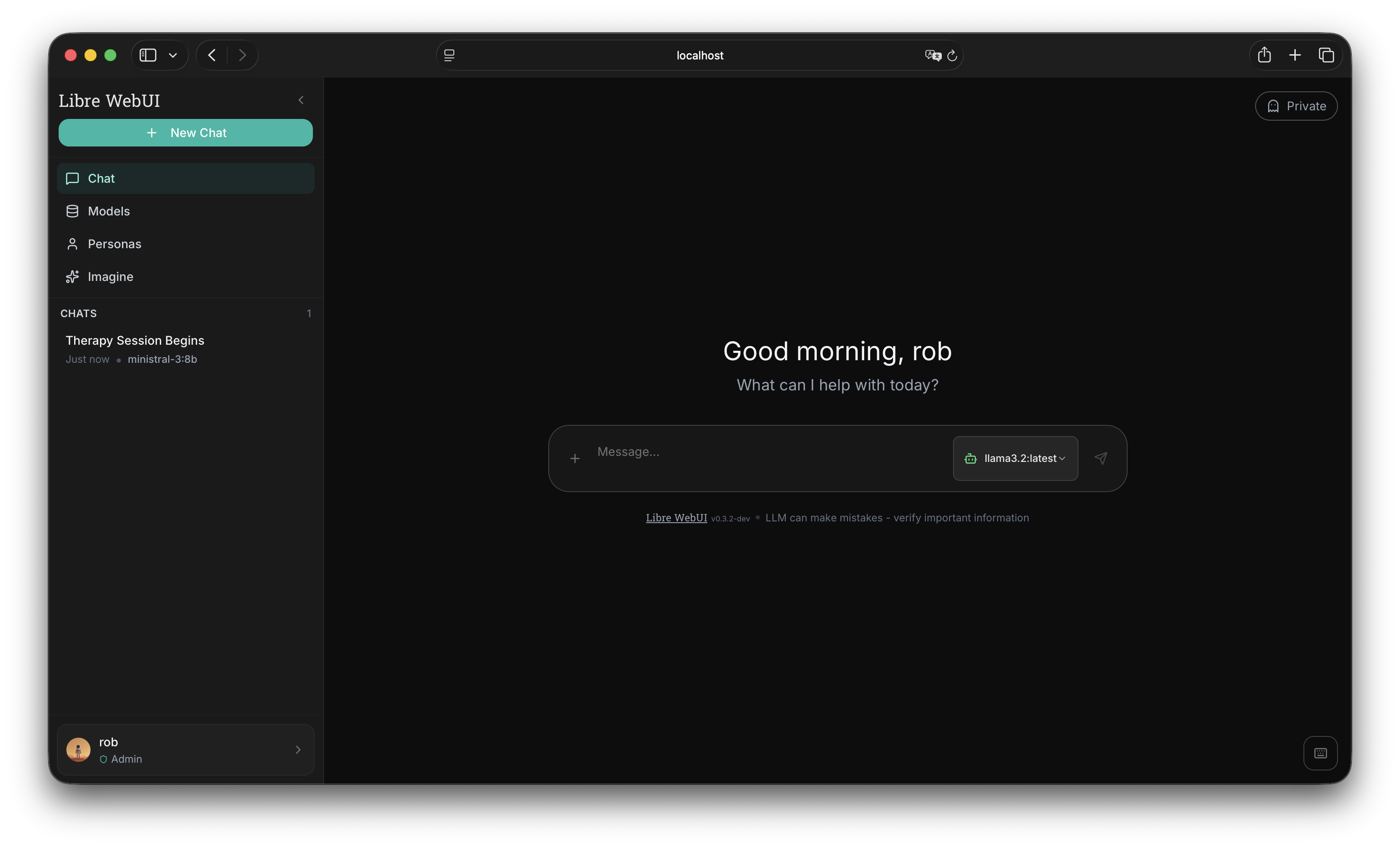
Din AI, dine regler
- Added a bundled
llama.cppcompletion provider profile forqwen3-35b-a3b, including configurable endpoint, sampling, token, penalty, and streaming defaults - Added an Ollama Cloud category in the Models library and model selector, backed by Ollama's dedicated cloud listing
- Added custom accent selection in Appearance with violet, blue, cyan, teal, emerald, amber, rose, slate, and custom color options
- Added runtime-generated accent shade scales so custom accents can drive buttons, links, focus rings, sliders, progress bars, selected states, and glow shadows
- Reworked Tailwind theme tokens to use CSS variables for
primaryandaccent, with generated custom palettes meeting white-text contrast targets - Refined light and dark neutral palettes to reduce glare while preserving contrast across app backgrounds, panels, inputs, and message surfaces
- Persisted accent preferences through frontend state, backend preferences, import/export defaults, local rehydration, logout cleanup, and demo mode
- Added accent translation keys across all supported locales and verified locale key parity against English
- Expanded demo-mode preference APIs so Appearance, generation, embedding, system-message, and default-model settings can be exercised without a backend connection
- Standardized the Libre WebUI wordmark through a shared
Logocomponent across loading, login, setup, sidebar, and settings surfaces - Replaced fixed violet styling in persona adaptive-learning controls with active-accent tokens
- Recolored Ollama library and Cloud badges from cyan to the design-system info-blue treatment
- Reduced noisy debug logging across optional auth, chat, document search, plugin lookup, plugin deletion, TTS, image generation, and WebSocket auth paths
- Returned package version in auth system info for UI/version display
- Updated Dependabot targeting to
mainand ignored incompatible Electron and ESLint major bumps until their upstream compatibility gaps are resolved
- Fixed a critical app-wide
Too many re-renderscrash inSettingsModalby memoizing image-generation model/plugin arrays - Fixed Ollama Cloud model pulls by tagging cloud library results with
:cloudbefore install/run actions - Fixed Ollama Cloud generation failures by stripping unsupported non-positive
num_predictvalues before cloud requests - Fixed cloud model pull functionality
- Fixed auto-title generation for persona/current-model workflows by resolving the real running model before sending title prompts
- Quietly handles expired or invalid JWTs in auth and WebSocket flows without dumping routine stack traces
- Kept the lint toolchain on ESLint 9 for compatibility with the current React plugin stack
- Expanded
DESIGN.mdwith custom accent presets, generated shade-scale behavior, token usage rules, light/dark neutral guidance, and contrast requirements
- Bumped package versions to
0.10.0 - Updated Electron to
41.7.1and Electron Builder to26.15.2 - Bumped frontend/backend dependencies including React Query, i18next, KaTeX, lucide-react, React Router, Vite, pdfjs-dist, TypeScript tooling, Tailwind Merge, Zustand, Express, Multer, Better SQLite3, and related lockfile entries
- Remediated npm security advisories through dependency and lockfile updates, including
qs,tmp,ip-address,brace-expansion,ws, and related transitive packages
Privatlivsfokuseret AI chat interface. Kør lokalt med Ollama eller forbind til OpenAI, Anthropic og 9+ udbydere. Nul telemetri. Nul sporing.
npx libre-webui Kræver Node.js 18+ og Ollama til lokal AI
Alt hvad du behøver
En komplet AI chat løsning der respekterer dit privatliv
Interaktive Artefakter
Render HTML, SVG og React komponenter direkte i chatten. Live forhåndsvisning med fuldskærmstilstand.
Lokal & Cloud AI
Kør modeller lokalt med Ollama eller forbind til OpenAI, Anthropic, Groq, Gemini, Mistral og mere. Dit valg.
Dokumentchat (RAG)
Upload PDF'er, dokumenter og tekstfiler. Stil spørgsmål om dine dokumenter med semantisk søgning og vektor embeddings.
Interaktive Artefakter
Render HTML, SVG og React komponenter direkte i chatten. Live forhåndsvisning med fuldskærmstilstand.
AES-256 Kryptering
Enterprise-grade kryptering for alle dine data. Chathistorik, dokumenter og indstillinger krypteres i hvile.
Tilpassede Personas
Opret AI personligheder med unikke adfærd og system prompts. Import/eksport personas som JSON.
Tekst-til-Tale
Lyt til AI svar med flere stemmemuligheder. Understøtter browser TTS og ElevenLabs integration.
Billedgenerering
Generer billeder med ComfyUI og Flux-modeller. Flere størrelser, kvalitetsindstillinger og problemfri chatintegration.
Plugin-variabler
Konfigurerbare indstillinger pr. plugin som temperatur, endpoint og tokens. Følsomme værdier krypteres ved lagring.
Tastaturgenveje
VS Code-inspirerede genveje for avancerede brugere. Naviger, skift indstillinger og kontroller alt fra tastaturet.
Multi-bruger Support
Rollebaseret adgangskontrol med SSO support. GitHub og Hugging Face OAuth indbygget.
Forbind til enhver udbyder
Én interface, ubegrænsede muligheder
Kom i gang på sekunder
Vælg din foretrukne installationsmetode
Opret tilpassede plugins
Forbind enhver OpenAI-kompatibel LLM med en simpel JSON fil
Tilgængelige Plugins
Officielle plugins fra Libre WebUI repository. Klik for at se eller downloade.
{
  "id": "custom-model",
  "name": "Custom Model",
  "type": "completion",
  "endpoint": "http://localhost:8000/v1/chat/completions",
  "auth": {
    "header": "Authorization",
    "prefix": "Bearer ",
    "key_env": "CUSTOM_MODEL_API_KEY"
  },
  "model_map": [
    "my-fine-tuned-llama"
  ],
  "variables": [
    {
      "name": "temperature",
      "type": "number",
      "label": "Temperature",
      "default": 0.7,
      "min": 0, "max": 2
    }
  ]
}
Opret dit eget plugin
Start din LLM Server
Kør enhver OpenAI-kompatibel server: llama.cpp, vLLM, Ollama eller en tilpasset FastAPI server.
Opret Plugin JSON
Definer dit endpoint, autentificering og tilgængelige modeller i en simpel JSON fil.
Upload til Libre WebUI
Gå til Indstillinger > Udbydere, upload dit plugin og indtast din API nøgle.
Begynd at chatte
Dine tilpassede modeller vises i modelvælgeren. Fuldt privatliv, fuld kontrol.
Plugin Felt Reference
id Unik identifikator (små bogstaver, bindestreger tilladt) name Visningsnavn i UI type "completion" for chat, "tts" for tekst-til-tale endpoint API URL (f.eks. /v1/chat/completions) auth.header Auth header navn (Authorization, x-api-key) auth.prefix Nøgle præfiks ("Bearer " eller tom) auth.key_env Miljøvariabel for din API nøgle model_map Array af tilgængelige model identifikatorer variables Konfigurerbare indstillinger (temperatur, endpoint osv.) Klar til at eje din AI?
Slut dig til tusindvis af brugere der værdsætter privatliv og kontrol.