Twoja AI, Twoje zasady
- Added a bundled
llama.cppcompletion provider profile forqwen3-35b-a3b, including configurable endpoint, sampling, token, penalty, and streaming defaults - Added an Ollama Cloud category in the Models library and model selector, backed by Ollama's dedicated cloud listing
- Added custom accent selection in Appearance with violet, blue, cyan, teal, emerald, amber, rose, slate, and custom color options
- Added runtime-generated accent shade scales so custom accents can drive buttons, links, focus rings, sliders, progress bars, selected states, and glow shadows
- Reworked Tailwind theme tokens to use CSS variables for
primaryandaccent, with generated custom palettes meeting white-text contrast targets - Refined light and dark neutral palettes to reduce glare while preserving contrast across app backgrounds, panels, inputs, and message surfaces
- Persisted accent preferences through frontend state, backend preferences, import/export defaults, local rehydration, logout cleanup, and demo mode
- Added accent translation keys across all supported locales and verified locale key parity against English
- Expanded demo-mode preference APIs so Appearance, generation, embedding, system-message, and default-model settings can be exercised without a backend connection
- Standardized the Libre WebUI wordmark through a shared
Logocomponent across loading, login, setup, sidebar, and settings surfaces - Replaced fixed violet styling in persona adaptive-learning controls with active-accent tokens
- Recolored Ollama library and Cloud badges from cyan to the design-system info-blue treatment
- Reduced noisy debug logging across optional auth, chat, document search, plugin lookup, plugin deletion, TTS, image generation, and WebSocket auth paths
- Returned package version in auth system info for UI/version display
- Updated Dependabot targeting to
mainand ignored incompatible Electron and ESLint major bumps until their upstream compatibility gaps are resolved
- Fixed a critical app-wide
Too many re-renderscrash inSettingsModalby memoizing image-generation model/plugin arrays - Fixed Ollama Cloud model pulls by tagging cloud library results with
:cloudbefore install/run actions - Fixed Ollama Cloud generation failures by stripping unsupported non-positive
num_predictvalues before cloud requests - Fixed cloud model pull functionality
- Fixed auto-title generation for persona/current-model workflows by resolving the real running model before sending title prompts
- Quietly handles expired or invalid JWTs in auth and WebSocket flows without dumping routine stack traces
- Kept the lint toolchain on ESLint 9 for compatibility with the current React plugin stack
- Expanded
DESIGN.mdwith custom accent presets, generated shade-scale behavior, token usage rules, light/dark neutral guidance, and contrast requirements
- Bumped package versions to
0.10.0 - Updated Electron to
41.7.1and Electron Builder to26.15.2 - Bumped frontend/backend dependencies including React Query, i18next, KaTeX, lucide-react, React Router, Vite, pdfjs-dist, TypeScript tooling, Tailwind Merge, Zustand, Express, Multer, Better SQLite3, and related lockfile entries
- Remediated npm security advisories through dependency and lockfile updates, including
qs,tmp,ip-address,brace-expansion,ws, and related transitive packages
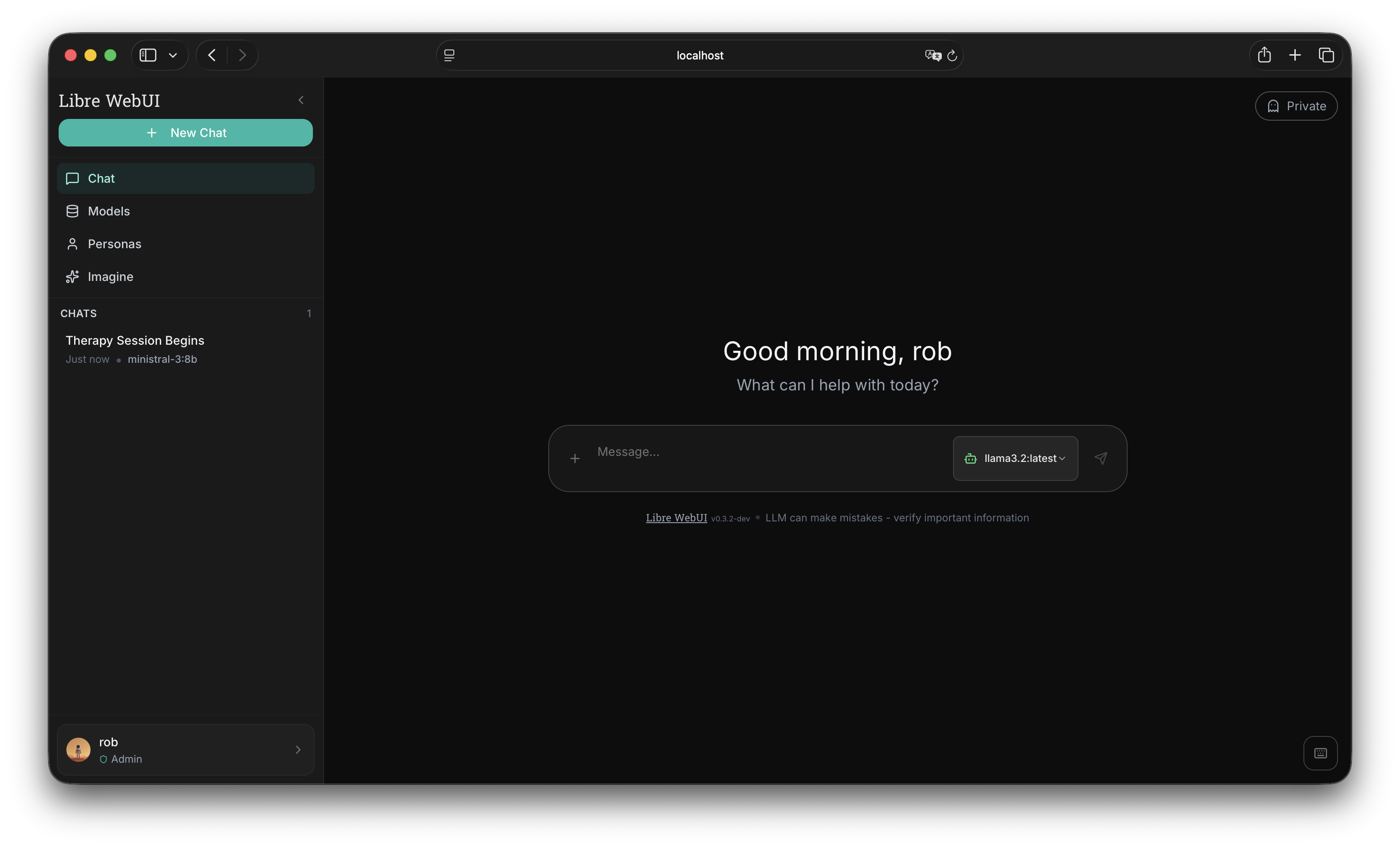
Interfejs czatu AI z priorytetem prywatności. Uruchom lokalnie z Ollama lub połącz z OpenAI, Anthropic i 9+ dostawcami. Zero telemetrii. Zero śledzenia.
npx libre-webui Wymaga Node.js 18+ i Ollama dla lokalnej AI
Wszystko, czego potrzebujesz
Kompletne rozwiązanie czatu AI, które szanuje Twoją prywatność
Interaktywne artefakty
Renderuj HTML, SVG i komponenty React bezpośrednio w czacie. Podgląd na żywo z trybem pełnoekranowym.
Lokalna i chmurowa AI
Uruchom modele lokalnie z Ollama lub połącz z OpenAI, Anthropic, Groq, Gemini, Mistral i więcej. Twój wybór.
Czat z dokumentami (RAG)
Przesyłaj pliki PDF, dokumenty i pliki tekstowe. Zadawaj pytania o swoje dokumenty za pomocą wyszukiwania semantycznego i osadzeń wektorowych.
Interaktywne artefakty
Renderuj HTML, SVG i komponenty React bezpośrednio w czacie. Podgląd na żywo z trybem pełnoekranowym.
Szyfrowanie AES-256
Szyfrowanie klasy korporacyjnej dla wszystkich Twoich danych. Historia czatu, dokumenty i ustawienia są szyfrowane w spoczynku.
Niestandardowe persony
Twórz osobowości AI z unikalnymi zachowaniami i promptami systemowymi. Importuj/eksportuj persony jako JSON.
Tekst na mowę
Słuchaj odpowiedzi AI z wieloma opcjami głosu. Obsługuje TTS przeglądarki i integrację ElevenLabs.
Generowanie Obrazów
Generuj obrazy za pomocą ComfyUI i modeli Flux. Wiele rozmiarów, presetów jakości i płynna integracja z czatem.
Zmienne Wtyczek
Konfigurowalne ustawienia dla każdej wtyczki: temperatura, endpoint, tokeny itp. Wrażliwe wartości są szyfrowane podczas przechowywania.
Skróty klawiszowe
Skróty inspirowane VS Code dla zaawansowanych użytkowników. Nawiguj, przełączaj ustawienia i kontroluj wszystko z klawiatury.
Wsparcie wieloużytkownikowe
Kontrola dostępu oparta na rolach z obsługą SSO. Wbudowane OAuth GitHub i Hugging Face.
Połącz z dowolnym dostawcą
Jeden interfejs, nieograniczone możliwości
Zacznij w kilka sekund
Wybierz preferowaną metodę instalacji
Twórz niestandardowe wtyczki
Połącz dowolny LLM kompatybilny z OpenAI za pomocą prostego pliku JSON
Dostępne wtyczki
Oficjalne wtyczki z repozytorium Libre WebUI. Kliknij, aby zobaczyć lub pobrać.
{
  "id": "custom-model",
  "name": "Custom Model",
  "type": "completion",
  "endpoint": "http://localhost:8000/v1/chat/completions",
  "auth": {
    "header": "Authorization",
    "prefix": "Bearer ",
    "key_env": "CUSTOM_MODEL_API_KEY"
  },
  "model_map": [
    "my-fine-tuned-llama"
  ],
  "variables": [
    {
      "name": "temperature",
      "type": "number",
      "label": "Temperature",
      "default": 0.7,
      "min": 0, "max": 2
    }
  ]
}
Stwórz własną wtyczkę
Uruchom serwer LLM
Uruchom dowolny serwer kompatybilny z OpenAI: llama.cpp, vLLM, Ollama lub niestandardowy serwer FastAPI.
Utwórz JSON wtyczki
Zdefiniuj endpoint, uwierzytelnianie i dostępne modele w prostym pliku JSON.
Prześlij do Libre WebUI
Przejdź do Ustawienia > Dostawcy, prześlij wtyczkę i wprowadź klucz API.
Zacznij czatować
Twoje niestandardowe modele pojawią się w selektorze modeli. Pełna prywatność, pełna kontrola.
Referencja pól wtyczki
id Unikalny identyfikator (małe litery, dozwolone myślniki) name Nazwa wyświetlana w interfejsie type "completion" dla czatu, "tts" dla tekstu na mowę endpoint URL API (np. /v1/chat/completions) auth.header Nazwa nagłówka auth (Authorization, x-api-key) auth.prefix Prefiks klucza ("Bearer " lub pusty) auth.key_env Zmienna środowiskowa dla klucza API model_map Tablica dostępnych identyfikatorów modeli variables Konfigurowalne ustawienia (temperatura, endpoint itp.) Gotowy, aby posiadać własną AI?
Dołącz do tysięcy użytkowników, którzy cenią prywatność i kontrolę.